UX Redesign
This a collection of all the feature suggestions posted on social media platforms.
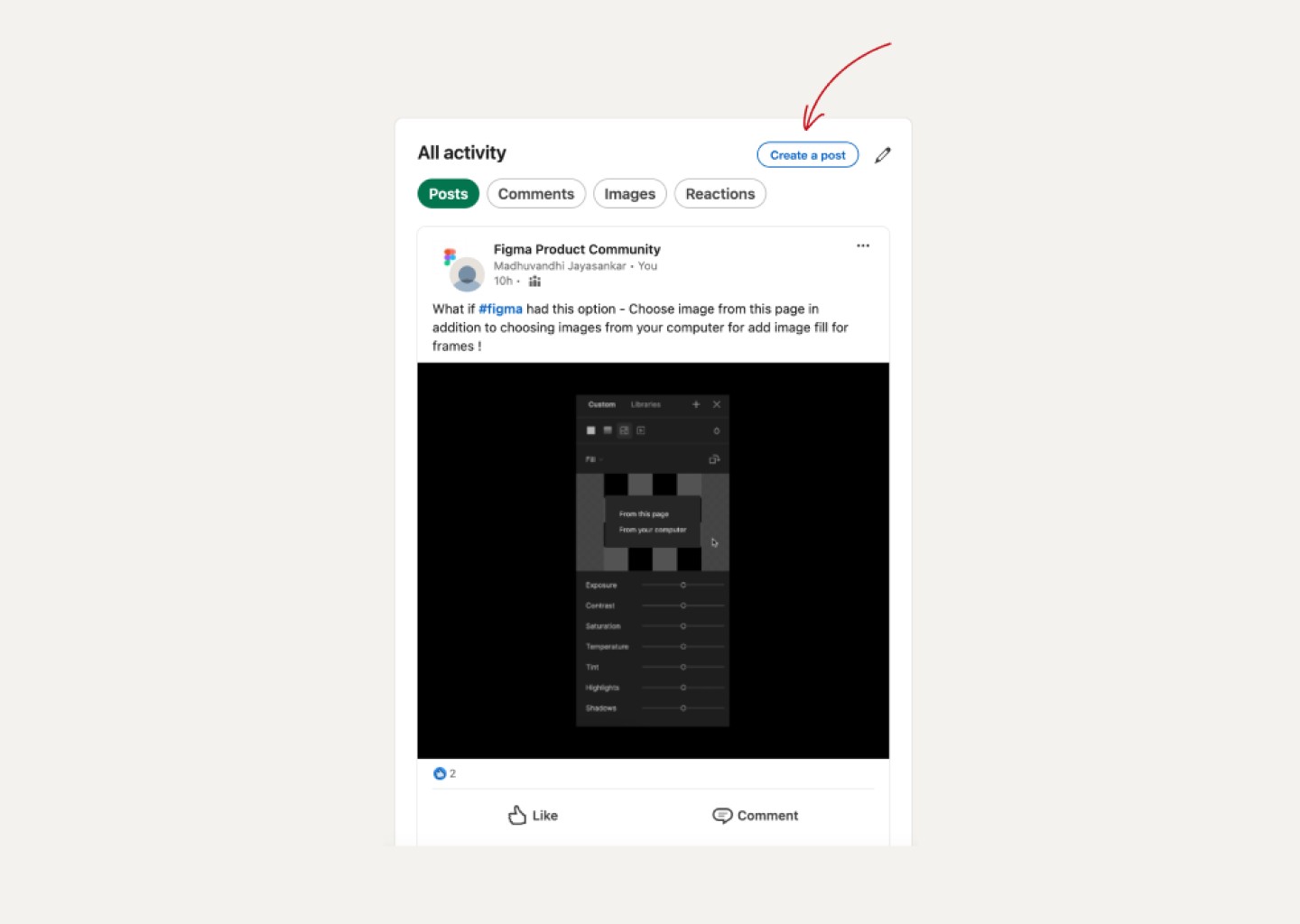
Create a post in LinkedIn
Option to create post in All activity page of user enables users to take informed decision about posting content while also reviewing previous posts.
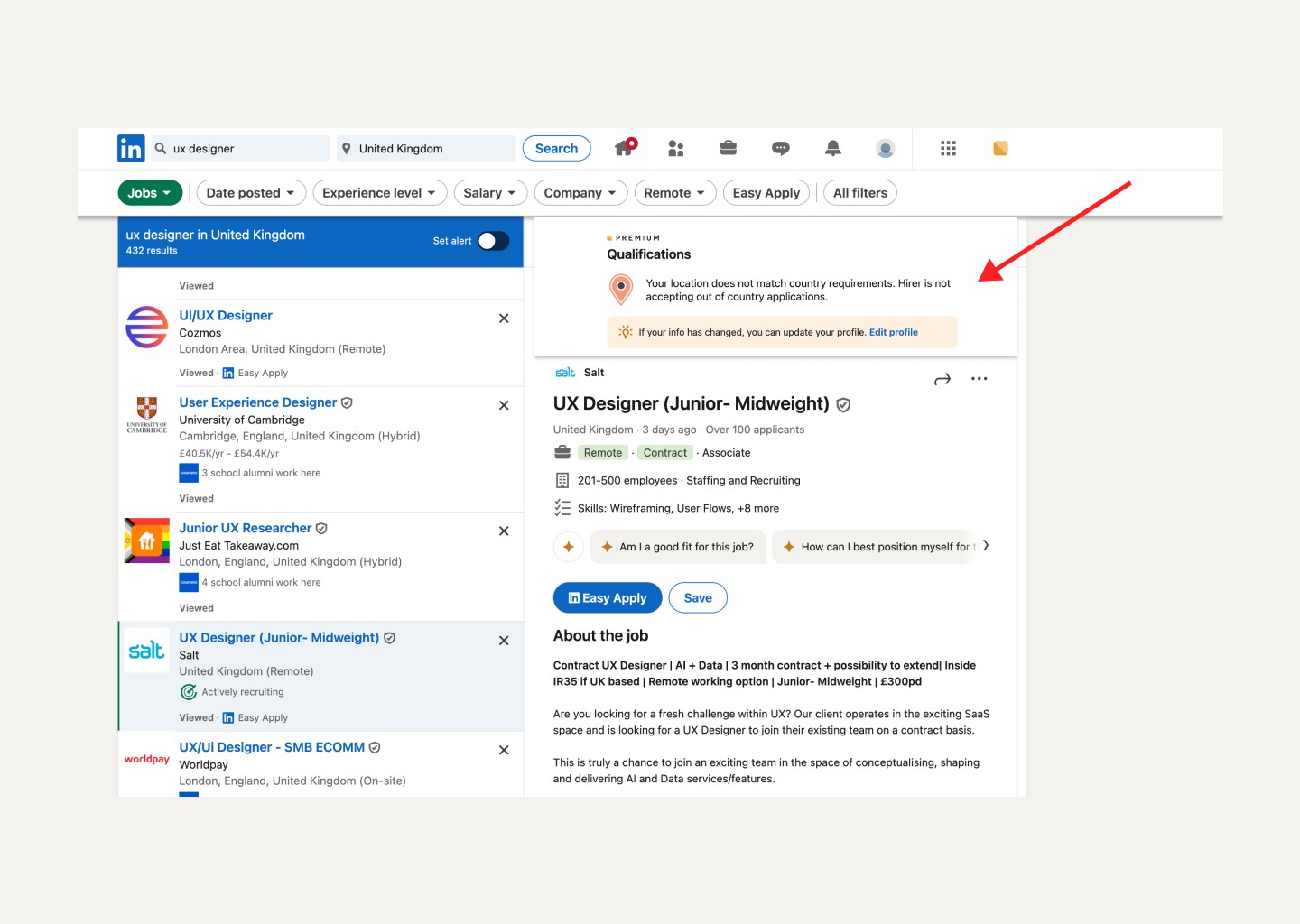
Location alert in LinkedIn
To enhance user experience and efficiency, integrating the location mismatch alert into the filter options will prevent users from wasting time on job searches that do not accept candidates from other locations. Additionally, placing the location mismatch alert at the top of the job description allows users to see the mismatch immediately, saving time and preventing frustration by eliminating potential user pain points.
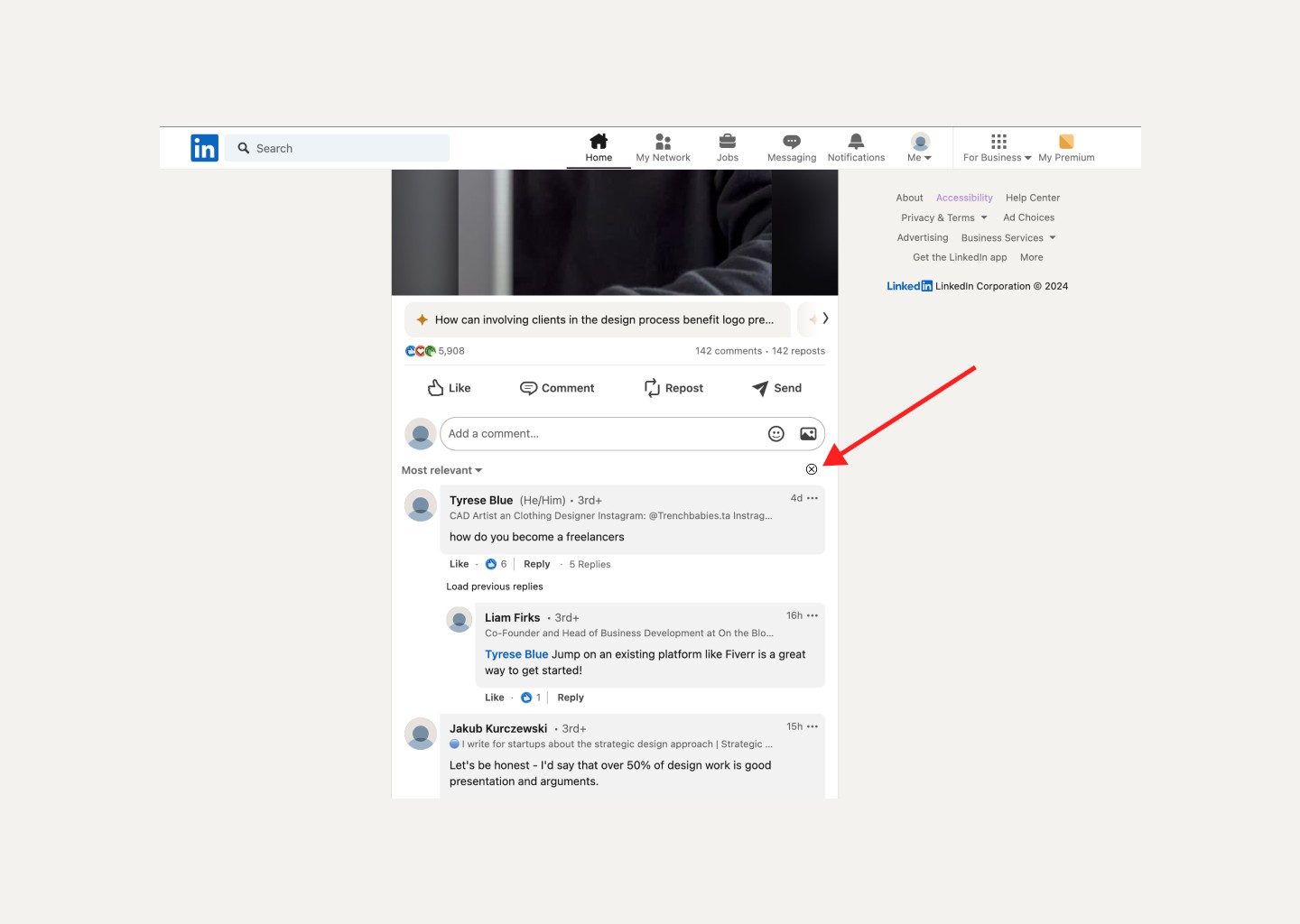
Close comments in LinkedIn
Adding a close button to the comments section addresses the user pain point of being unable to close comments section easily. Currently, users must reload the page and scroll to find the same post, which is inconvenient. Implementing a close button enhances accessibility and overall user experience, benefiting everyone through the curb-cut effect thereby enhancing user experience.
Post on multiple groups in LinkedIn
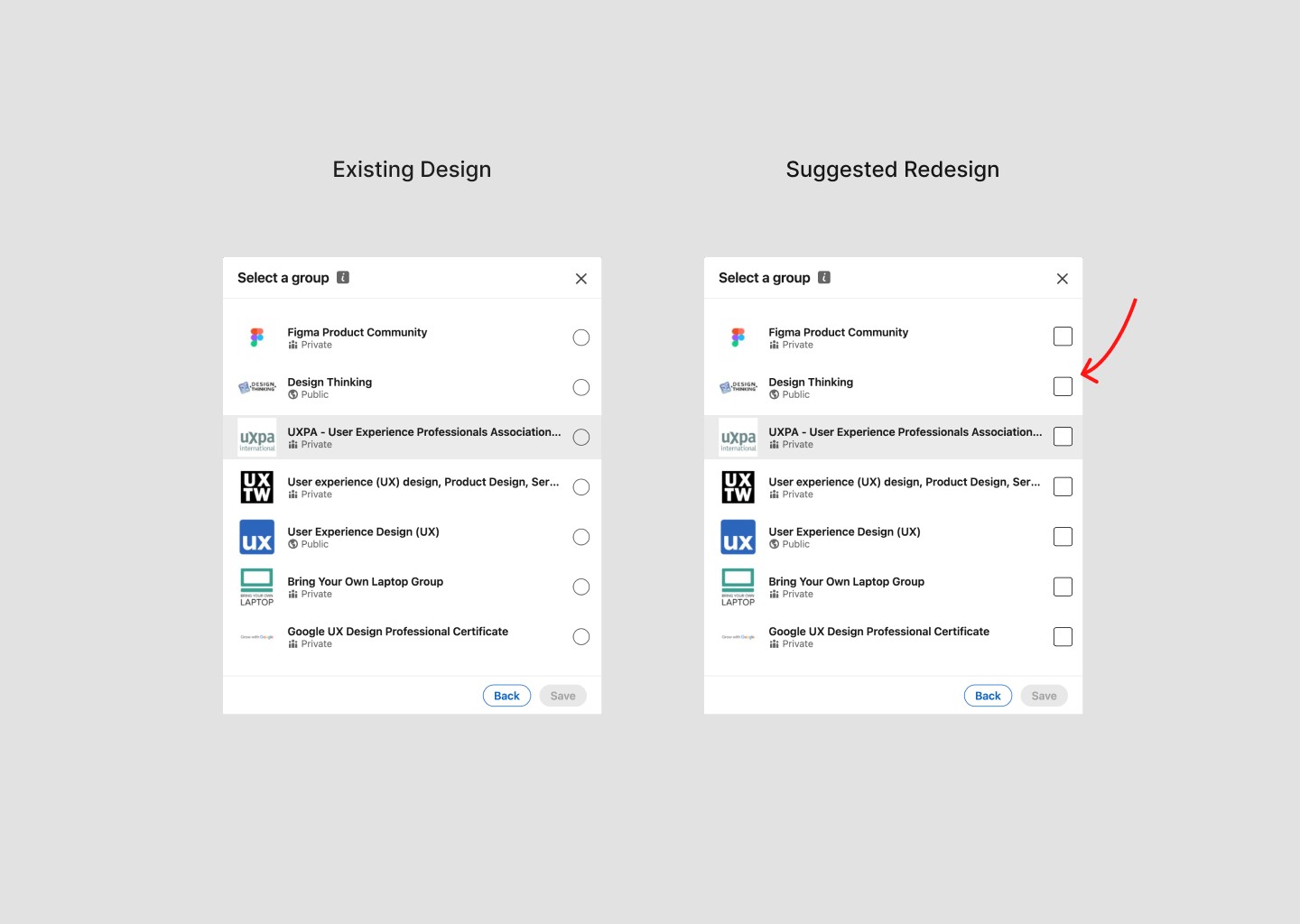
Redesign of posting to groups option in LinkedIn with Multiple selection boxes instead of existing radio button
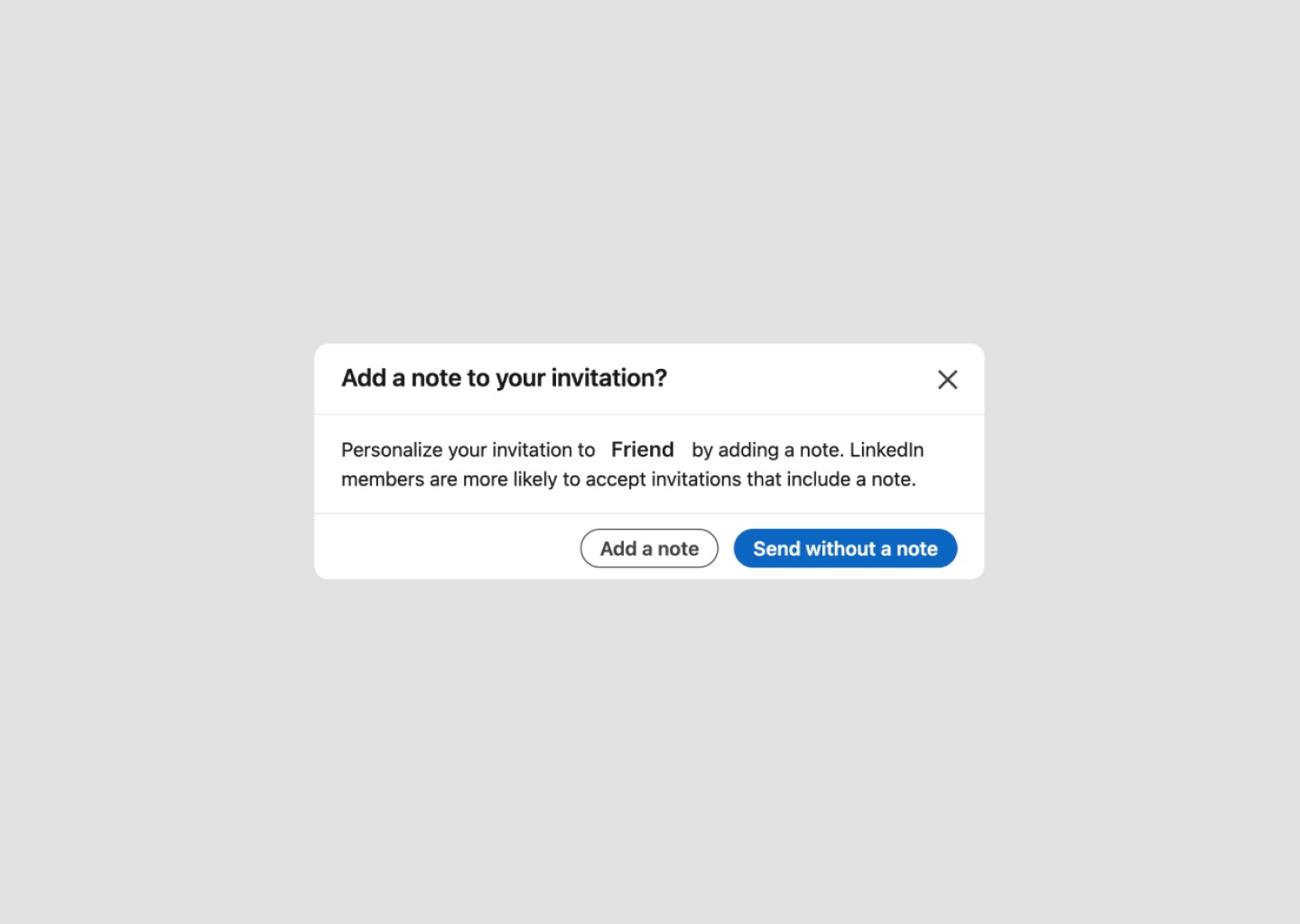
Add a note option in LinkedIn Mobile
Maintaining consistency across platforms by adding "Add a note option in Connect Request of LinkedIn Mobile App similar to Desktop Website
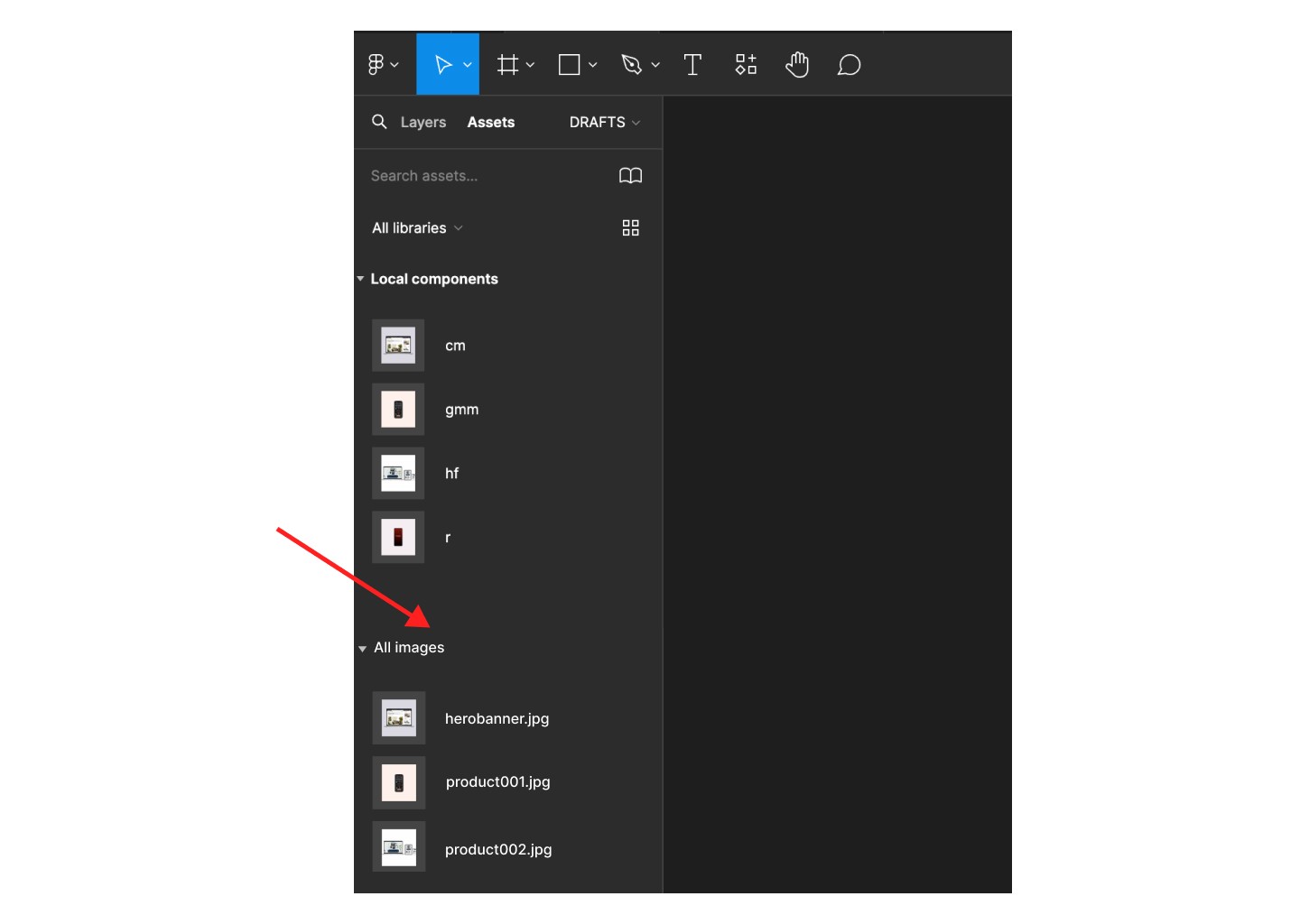
An option to add image files directly to the assets section, rather than having to create a component for each image seperately, would save time and make the process of adding images more efficient. This way, users could upload images once and access them across different locations within Figma, including team libraries.
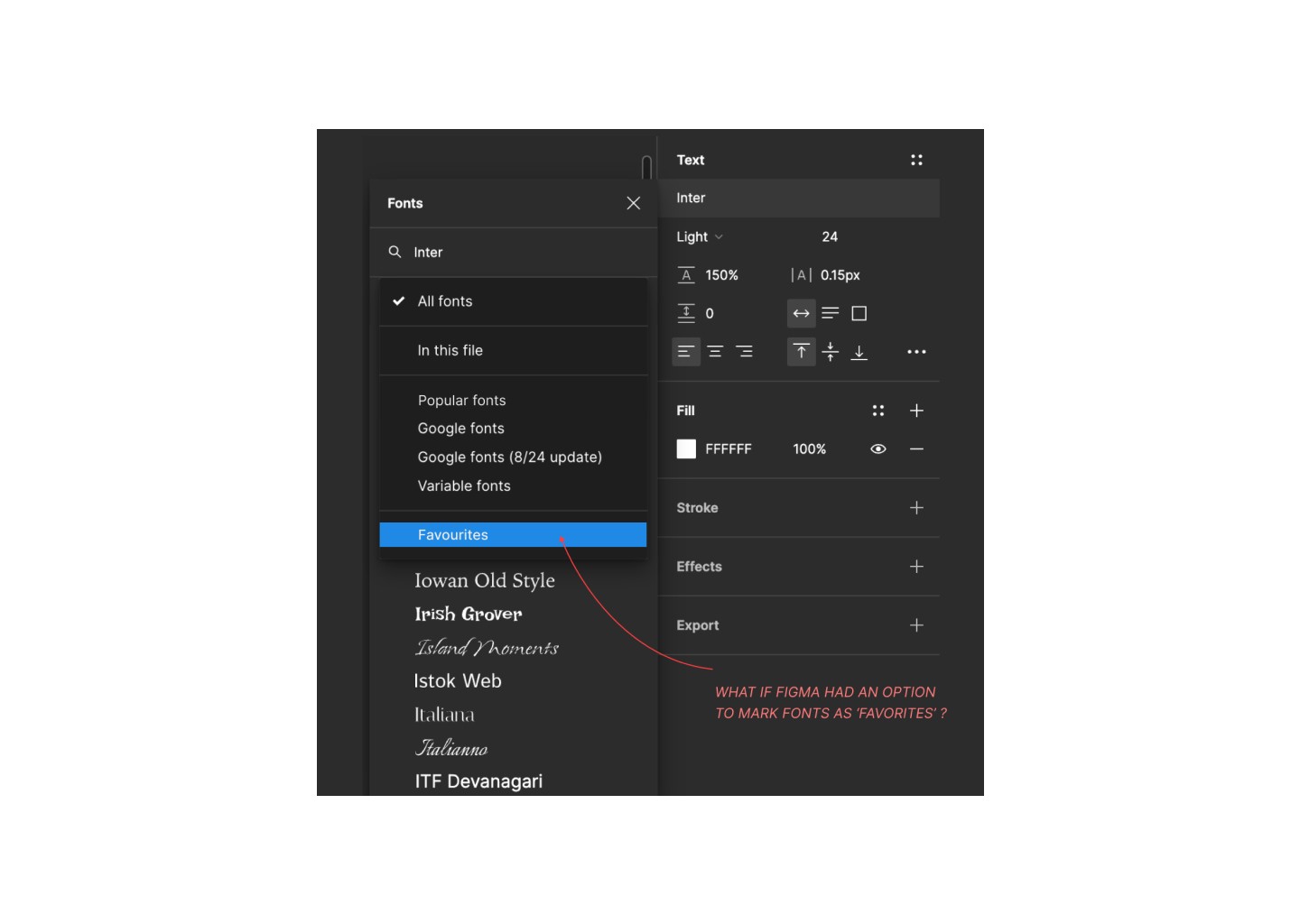
Adding an option to mark fonts as 'favorites' would enhance the user experience by improving personalization and eliminating the hassle of repeatedly scrolling through the entire font list
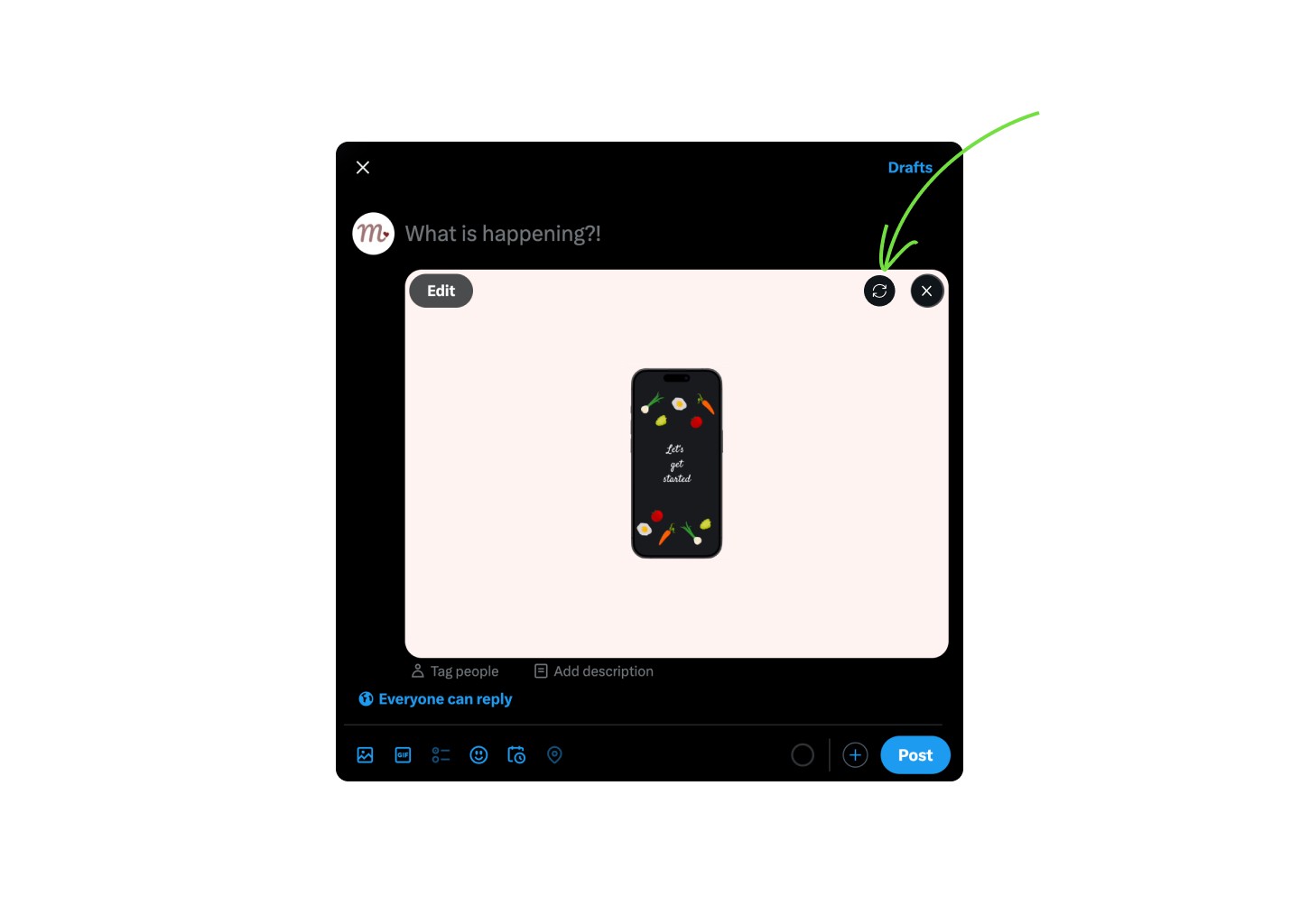
Replace image option in X
Option to replace image/gif as there is currently no option to do so rather than removing and adding again.
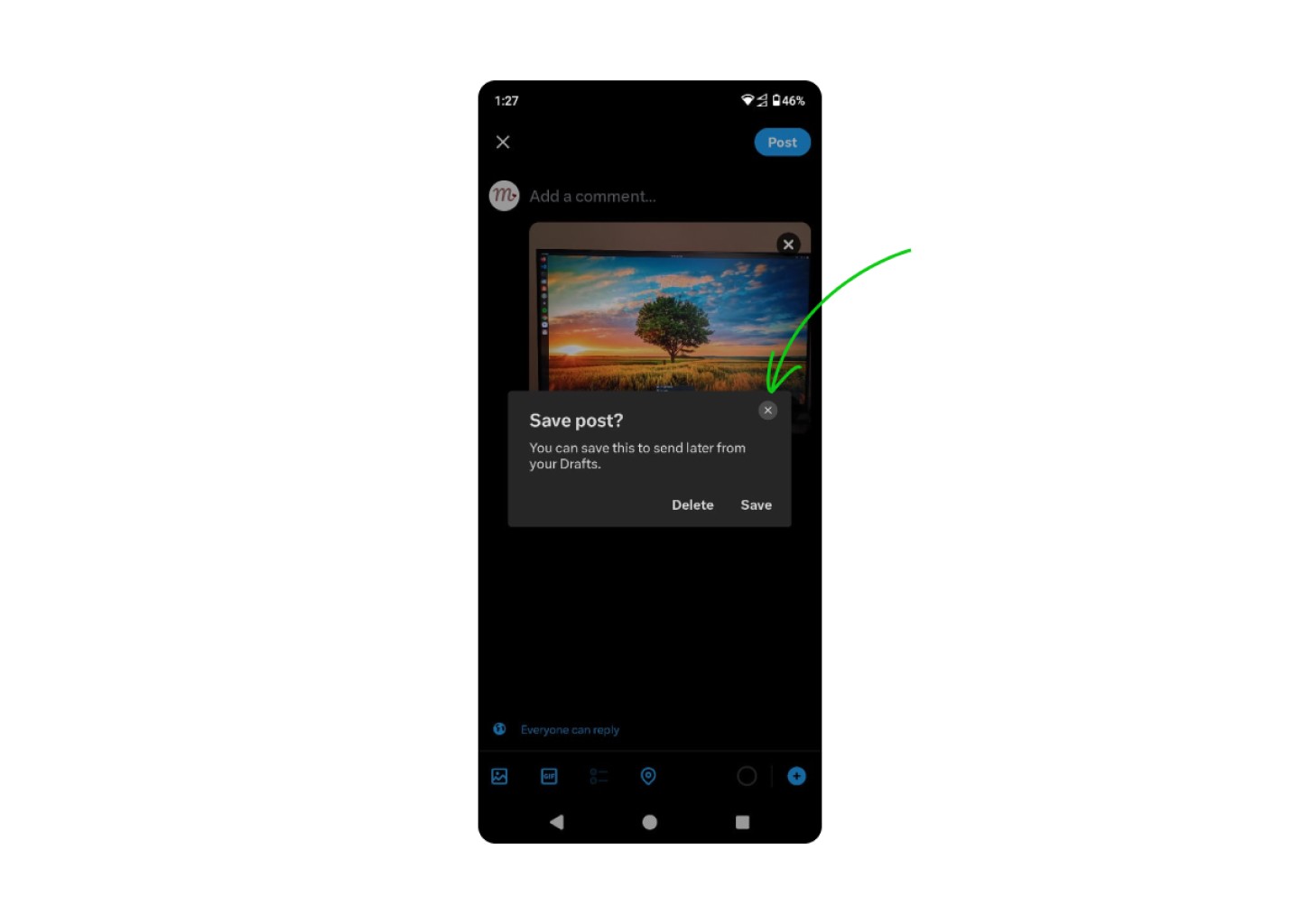
Close button on modal in X
Adding Close button in the save post overlay enhances accessibility.
Like adding Alt text to enhance accessibility, adding close button ensures users with disabilities or users who rely on keyboard navigation can easily exit the overlay using the "Esc" key.
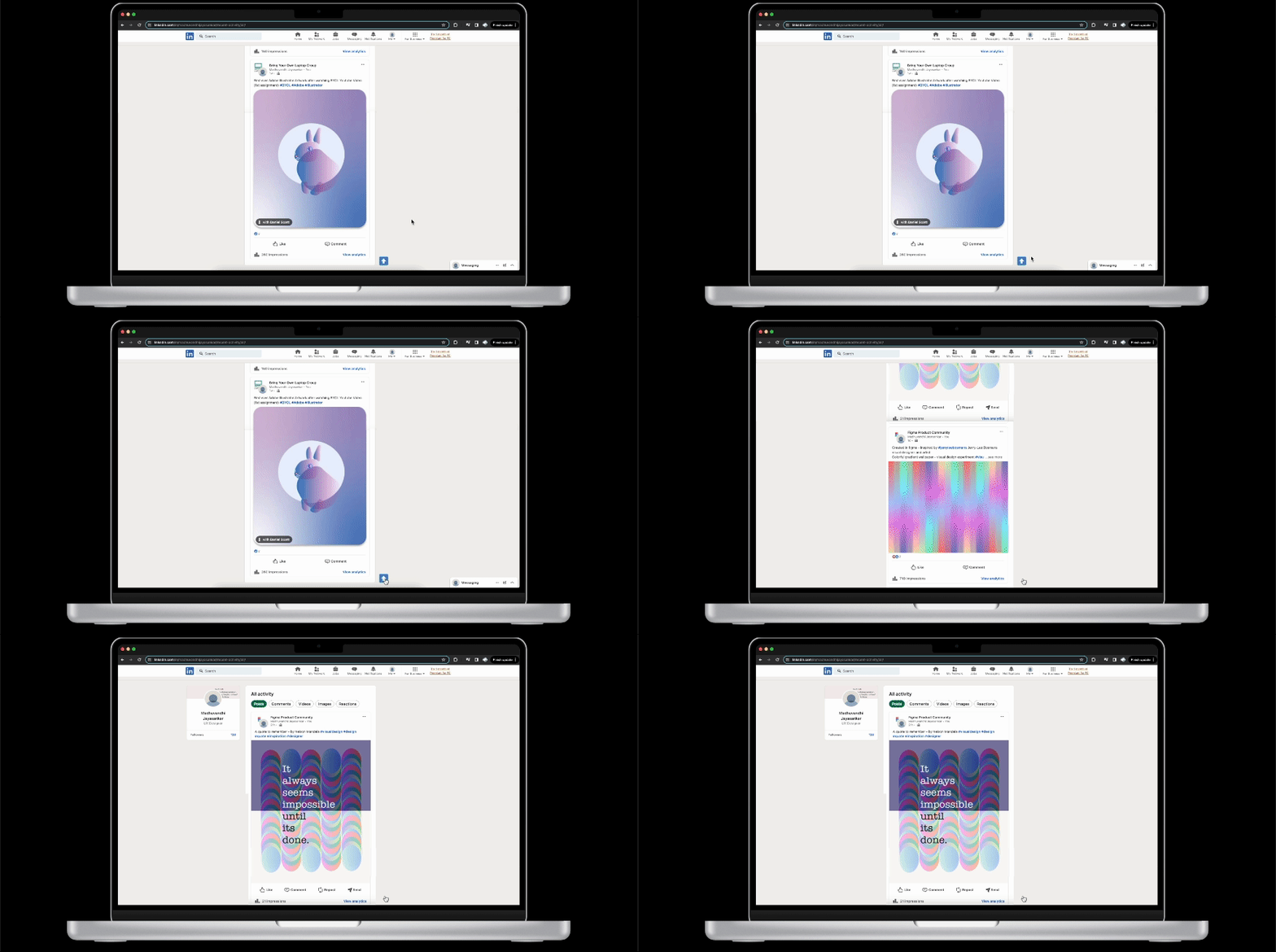
Bact to top button in LinkedIn
Back to top button provides users with disability and users who rely on assistive technology like screen readers, an alternative and accessible option to navigate the page.
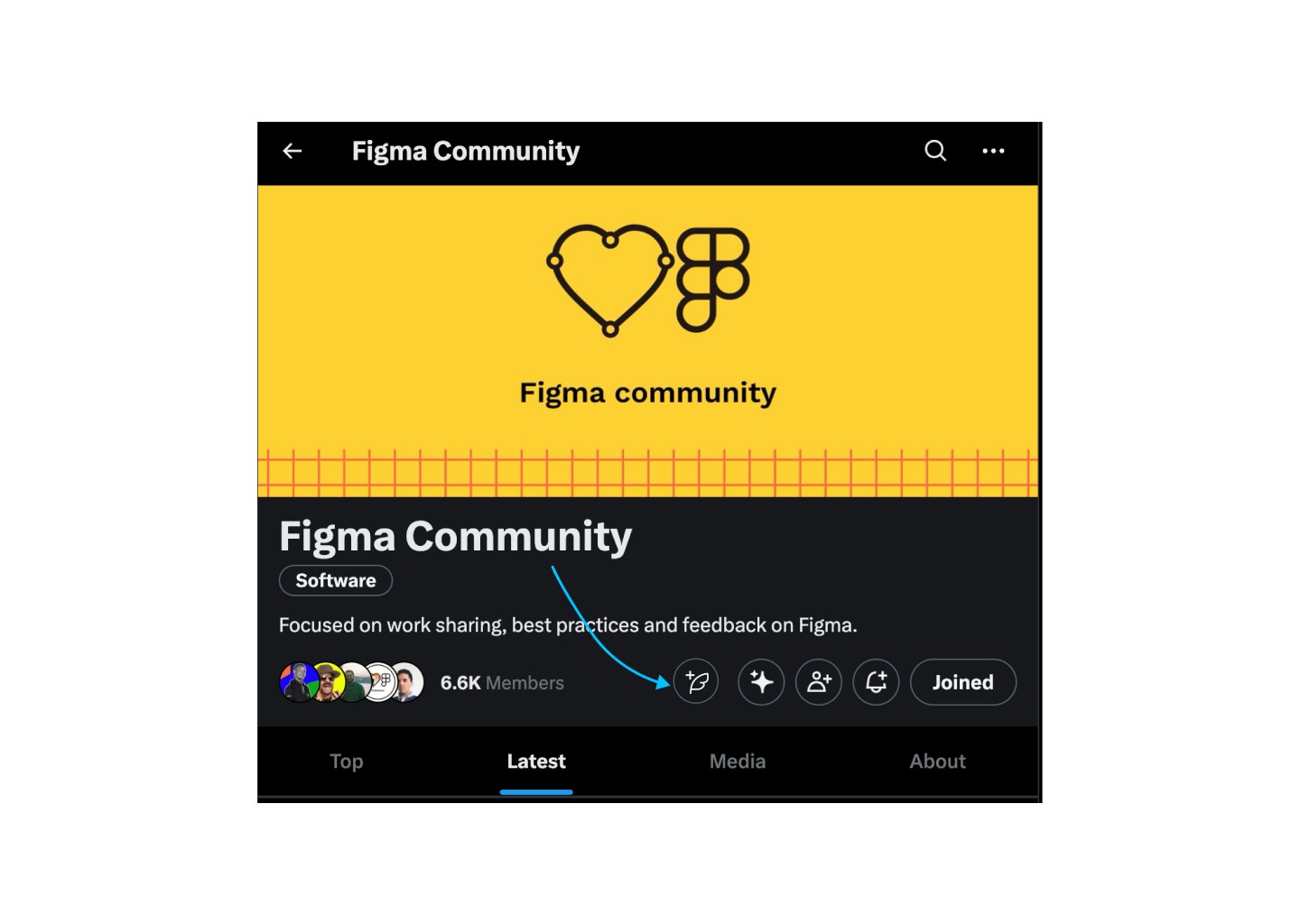
Create a post in communities on X
Grouping call-to-action buttons with similar functionalities significantly enhances user experience by improving navigation, reducing cognitive load, and increasing efficiency. This leads to a cleaner, more organized interface, boosting conversion rates and user engagement. It also enhances accessibility, streamlines user flow, and simplifies maintenance, resulting in more effective and user-friendly interfaces.
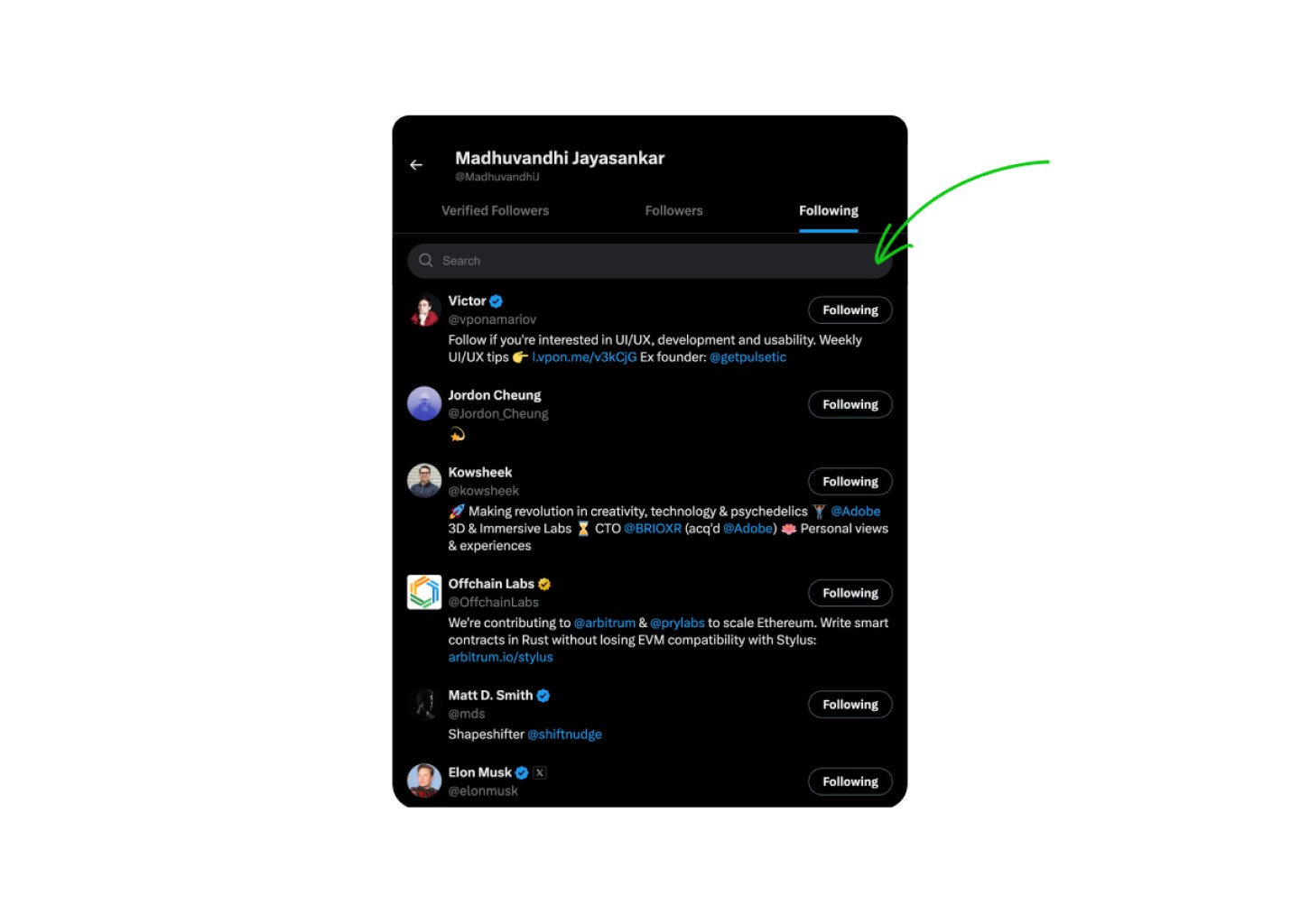
Search followers on X
Option to Search the list of Following & Followers.
Adding a search bar improves efficiency, reduces scanning time, most important of all improves accessibility for users with visual impairments , cognitive disabilities thereby enhancing user experience.
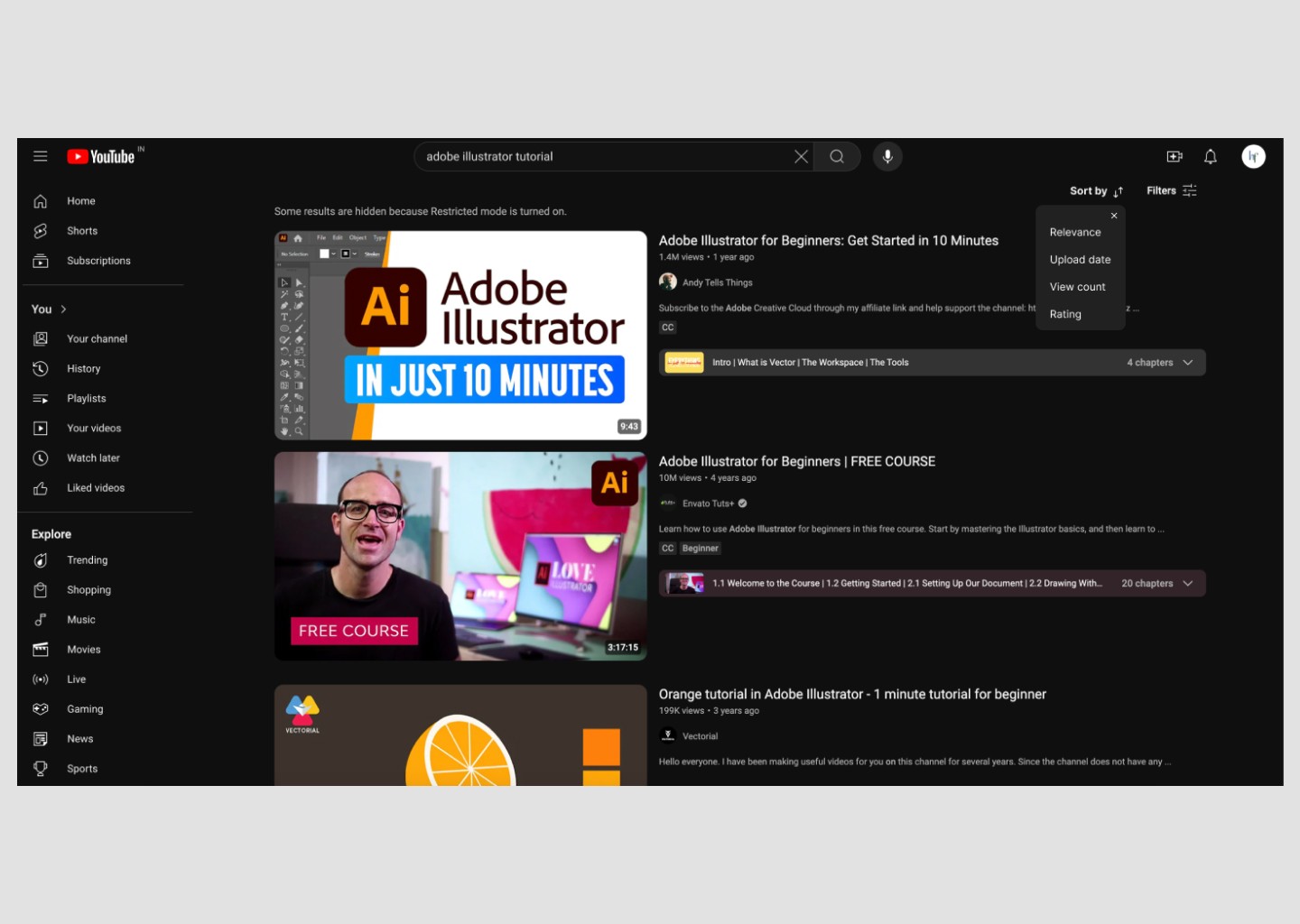
Sort videos on Youtube
Placing the sort option next to the filter option improves its visibility and enhances the user experience by reducing the number of clicks required to find it. Currently, the sort option is located within the filters menu. Its relocation is crucial, as sorting is among the most valuable features for users to discover content according to their preferences, such as the latest or highly viewed items.
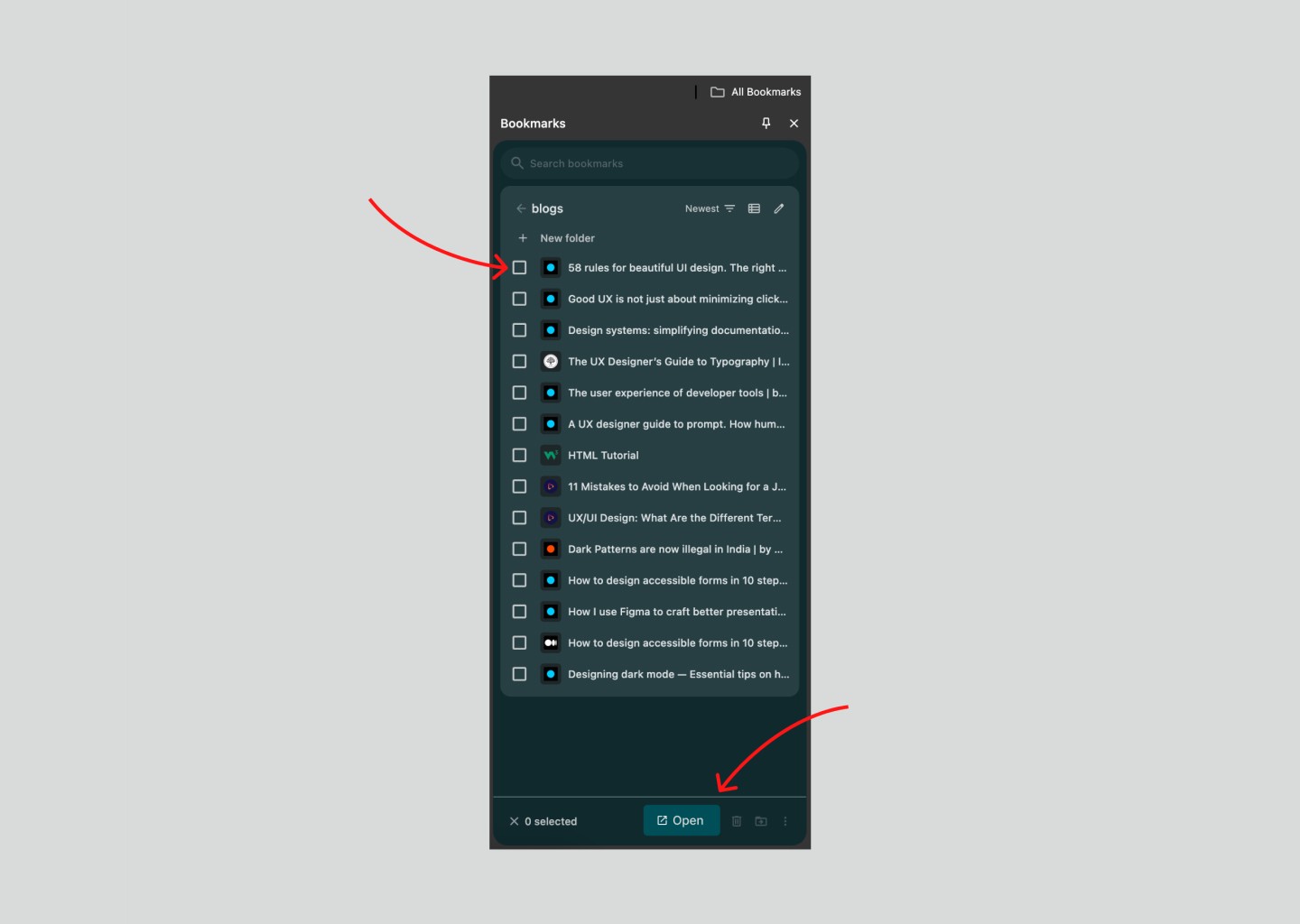
Bookmark tab redesign on Google Chrome
Redesign of Bookmark Management Tab in Google Chrome Browser with
Default selection box - enables quick batch actions (open/delete/move multiple items)
"Open" Call To Action button - When the primary action (e.g., "Open") is accessible as the main CTA alongside "Delete" and "Move," it respects user intentions, as opening bookmarks is typically the most frequent action.